Antwyn Jackson


Project Overview
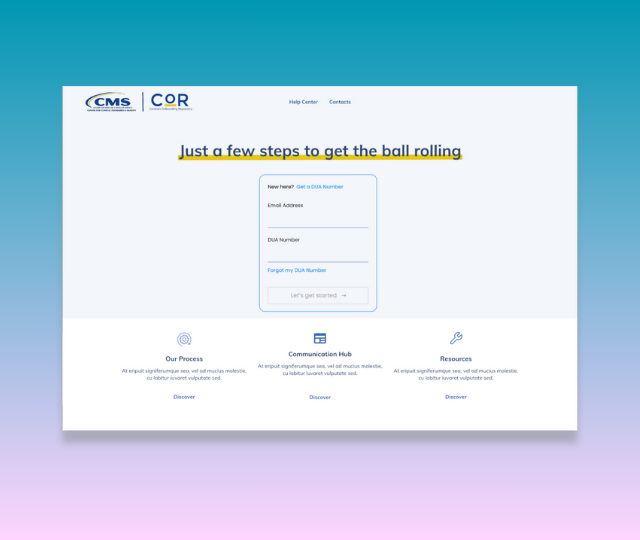
To design and deliver a clickable prototype that showed how users could create, track, and submit forms through a Salesforce-powered interface — making the process simpler, more transparent, and less reliant on human hand-holding.
Who was it for?
This prototype was created for both internal and external CMS users — including analytics and support contractors, NQIIC contractors, ESRD programs, and application development organizations.
What problem were you solving?

Contractors and security officials were stuck in a loop of manual, confusing forms with little visibility into what was required or what had been submitted. Internally, teams were overwhelmed by volume and complexity. Forms were often incomplete, duplicated, or delayed, creating inefficiencies for everyone involved. On top of that, we needed to validate whether Salesforce Lightning could actually support a solution like this — making collaboration with our development lead essential from the start.
Goal
What I Owned
- Created the user flow, site map, wireframes, and built the prototype.
- Synthesized needs from initial stakeholder meetings into usable assets
- Managed deadlines in collaboration with the Product Manager
- Presented the prototype to leadership ahead of schedule

What I Collaborated On
- Collaborated on structure and flow with Product Manager and Business Analyst
- Worked with the Development Lead to ensure all components were viable in Salesforce Lightning
- Partnered with team members to refine MVP and eliminate unnecessary document fields
Tools, Timeline & Collaborators
- Tools: Adobe XD, Figma, FigJam, Jira
- Timeline: 4 weeks
- Collaborators: Development Lead, Product Manager, Business Analyst
- Stakeholders: CMS leadership, security contractors, and internal CMS support staff
The Process
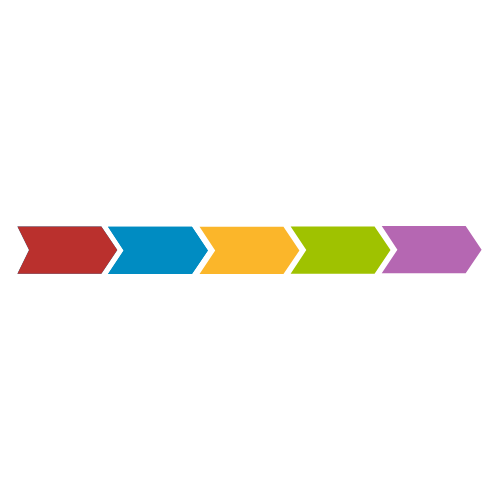
When the project kicked off in early December, we were told we had six weeks. That timeline was quickly cut to four due to holiday schedules — so we had to move fast.
Shrinking timeframe

Explored Outside Inspiration
We pulled in references from other systems with similar goals and adapted the structure to meet our unique CMS context.

Built Wireframes and Prototype
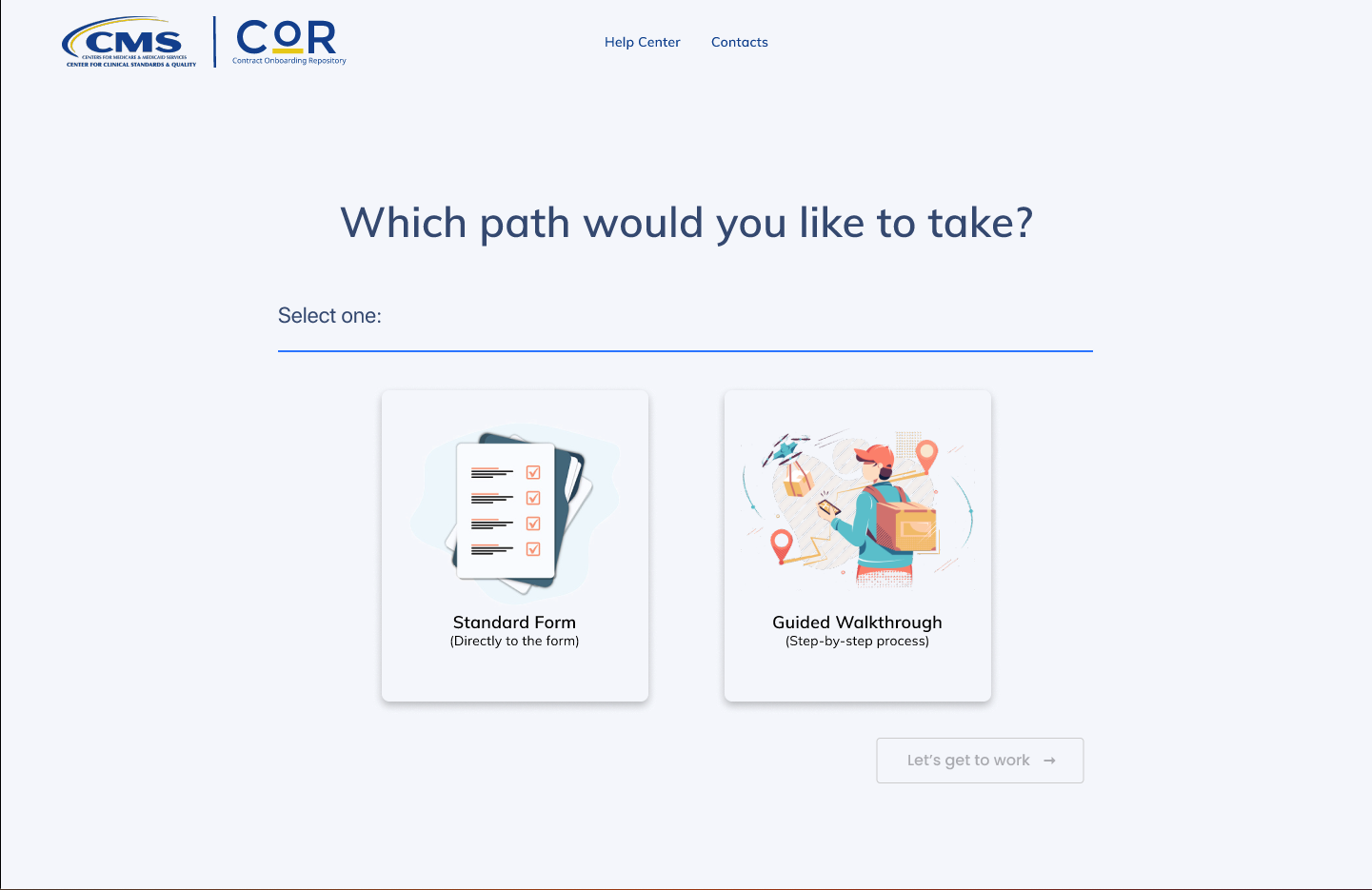
Once the structure was approved, We moved into wireframes and built the prototype in Adobe XD. We held check-ins throughout to confirm the direction was still aligned.

Mapped the Experience
We created the user flow and navigation structure, focusing on how a user would move through the system to complete or update a form.

Framed the Problem
Initial meetings with leadership helped us define the problem, map the use cases, and establish the MVP. There were a lot of big ideas at first — narrowing it down to a testable prototype was key.
Demoed the Solution
We presented the finished prototype to CMS leadership, our company’s CTO, and additional stakeholders. The response was overwhelmingly positive — no notes.
Simplified the form logic
I pushed back on legacy sections of the form that were rarely used, advocating for clarity over tradition.
Focused on Function, not fidelity
We prioritized showcasing logic and workflow over polish, knowing we could improve the visuals later.
Got aligned on MVP early
Narrowing scope upfront helped us deliver confidently and avoid spinning on features we didn’t need yet.
Check Out the Prototype

I would’ve been more assertive in the first stakeholder meeting. Early back-and-forth about direction could’ve been avoided by narrowing the focus more directly from the jump.
What I Learned
Too many stakeholders can slow momentum. If no one takes the lead, decisions stall. I also learned how valuable it is to align MVP early and maintain tight communication when timelines are compressed.
What I’d Try Next Time
In a tight timeline, I’d streamline my process by combining wireframes with high-fidelity components to save time and allow more space for iteration.

Antwyn Jackson
Project Overview
To design and deliver a clickable prototype that showed how users could create, track, and submit forms through a Salesforce-powered interface — making the process simpler, more transparent, and less reliant on human hand-holding.
Who was it for?
This prototype was created for both internal and external CMS users — including analytics and support contractors, NQIIC contractors, ESRD programs, and application development organizations.
What problem were you solving?
Contractors and security officials were stuck in a loop of manual, confusing forms with little visibility into what was required or what had been submitted. Internally, teams were overwhelmed by volume and complexity. Forms were often incomplete, duplicated, or delayed, creating inefficiencies for everyone involved. On top of that, we needed to validate whether Salesforce Lightning could actually support a solution like this — making collaboration with our development lead essential from the start.
Goal
What I Owned
- Created the user flow, site map, wireframes, and built the prototype.
- Synthesized needs from initial stakeholder meetings into usable assets
- Managed deadlines in collaboration with the Product Manager
- Presented the prototype to leadership ahead of schedule
What I Collaborated On
- Collaborated on structure and flow with Product Manager and Business Analyst
- Worked with the Development Lead to ensure all components were viable in Salesforce Lightning
- Partnered with team members to refine MVP and eliminate unnecessary document fields
Tools, Timeline & Collaborators
- Tools: Adobe XD, Figma, FigJam, Jira
- Timeline: 4 weeks
- Collaborators: Development Lead, Product Manager, Business Analyst
- Stakeholders: CMS leadership, security contractors, and internal CMS support staff
The Process
When the project kicked off in early December, we were told we had six weeks. That timeline was quickly cut to four due to holiday schedules — so we had to move fast.
Shrinking timeframe
Explored Outside Inspiration
We pulled in references from other systems with similar goals and adapted the structure to meet our unique CMS context.
Built wireframes and
prototype
Once the structure was approved, We moved into wireframes and built the prototype in Adobe XD. We held check-ins throughout to confirm the direction was still aligned.
Mapped the Experience
We created the user flow and navigation structure, focusing on how a user would move through the system to complete or update a form.
Framed the Problem
Initial meetings with leadership helped us define the problem, map the use cases, and establish the MVP. There were a lot of big ideas at first — narrowing it down to a testable prototype was key.
Demoed the Solution
We presented the finished prototype to CMS leadership, our company’s CTO, and additional stakeholders. The response was overwhelmingly positive — no notes.
A Concept that Shows Understanding
- Provided clear validation that Salesforce Lightning could support a guided intake experience
- Offered a working alternative to ServiceNow — sparking internal platform discussions
- Led to more engagement with Salesforce to explore deeper integration and contract upgrades
- Stakeholders praised the attention to detail, and I received a performance bonus for delivering ahead of a tight deadline
Check Out the Prototype
Simplified the form logic
I pushed back on legacy sections of the form that were rarely used, advocating for clarity over tradition.
Focused on Function, not fidelity
We prioritized showcasing logic and workflow over polish, knowing we could improve the visuals later.
Got aligned on MVP early
Narrowing scope upfront helped us deliver confidently and avoid spinning on features we didn’t need yet.
I would’ve been more assertive in the first stakeholder meeting. Early back-and-forth about direction could’ve been avoided by narrowing the focus more directly from the jump.
What I Learned
Too many stakeholders can slow momentum. If no one takes the lead, decisions stall. I also learned how valuable it is to align MVP early and maintain tight communication when timelines are compressed.
What I’d Try Next Time
In a tight timeline, I’d streamline my process by combining wireframes with high-fidelity components to save time and allow more space for iteration.
Antwyn Jackson
Antwyn Jackson
Project Overview
Who was it for?
This prototype was created for both internal and external CMS users — including analytics and support contractors, NQIIC contractors, ESRD programs, and application development organizations.
What problem were you solving?
Contractors and security officials were stuck in a loop of manual, confusing forms with little visibility into what was required or what had been submitted. Internally, teams were overwhelmed by volume and complexity. Forms were often incomplete, duplicated, or delayed, creating inefficiencies for everyone involved. On top of that, we needed to validate whether Salesforce Lightning could actually support a solution like this — making collaboration with our development lead essential from the start.
Goal
To design and deliver a clickable prototype that showed how users could create, track, and submit forms through a Salesforce-powered interface — making the process simpler, more transparent, and less reliant on human hand-holding.
What I Owned
- Created the user flow, site map, wireframes, and built the prototype.
- Synthesized needs from initial stakeholder meetings into usable assets
- Managed deadlines in collaboration with the Product Manager
- Presented the prototype to leadership ahead of schedule
What I Collaborated On
- Collaborated on structure and flow with Product Manager and Business Analyst
- Worked with the Development Lead to ensure all components were viable in Salesforce Lightning
- Partnered with team members to refine MVP and eliminate unnecessary document fields
Tools, Timeline & Collaborators
- Tools: Adobe XD, Figma, FigJam, Jira
- Timeline: 4 weeks
- Collaborators: Development Lead, Product Manager, Business Analyst
- Stakeholders: CMS leadership, security contractors, and internal CMS support staff
The Process
When the project kicked off in early December, we were told we had six weeks. That timeline was quickly cut to four due to holiday schedules — so we had to move fast.
Shrinking timeframe
Explored Outside Inspiration
We pulled in references from other systems with similar goals and adapted the structure to meet our unique CMS context.
Built Wireframes and Prototype
Once the structure was approved, We moved into wireframes and built the prototype in Adobe XD. We held check-ins throughout to confirm the direction was still aligned.
Mapped the Experience
We created the user flow and navigation structure, focusing on how a user would move through the system to complete or update a form.
Framed the Problem
Initial meetings with leadership helped us define the problem, map the use cases, and establish the MVP. There were a lot of big ideas at first — narrowing it down to a testable prototype was key.
Demoed the Solution
We presented the finished prototype to CMS leadership, our company’s CTO, and additional stakeholders. The response was overwhelmingly positive — no notes.
Simplified the form logic
I pushed back on legacy sections of the form that were rarely used, advocating for clarity over tradition.
Focused on Function, not fidelity
We prioritized showcasing logic and workflow over polish, knowing we could improve the visuals later.
Got aligned on MVP early
Narrowing scope upfront helped us deliver confidently and avoid spinning on features we didn’t need yet.
A Concept that Shows Understanding
- Provided clear validation that Salesforce Lightning could support a guided intake experience
- Offered a working alternative to ServiceNow — sparking internal platform discussions
- Led to more engagement with Salesforce to explore deeper integration and contract upgrades
- Stakeholders praised the attention to detail, and I received a performance bonus for delivering ahead of a tight deadline
Check Out the Prototype
I would’ve been more assertive in the first stakeholder meeting. Early back-and-forth about direction could’ve been avoided by narrowing the focus more directly from the jump.
What I Learned
Too many stakeholders can slow momentum. If no one takes the lead, decisions stall. I also learned how valuable it is to align MVP early and maintain tight communication when timelines are compressed.
What I’d Try Next Time
In a tight timeline, I’d streamline my process by combining wireframes with high-fidelity components to save time and allow more space for iteration.
Antwyn Jackson